



Trying DuckDB for Magento Analytics: An Experiment with One Million Orders
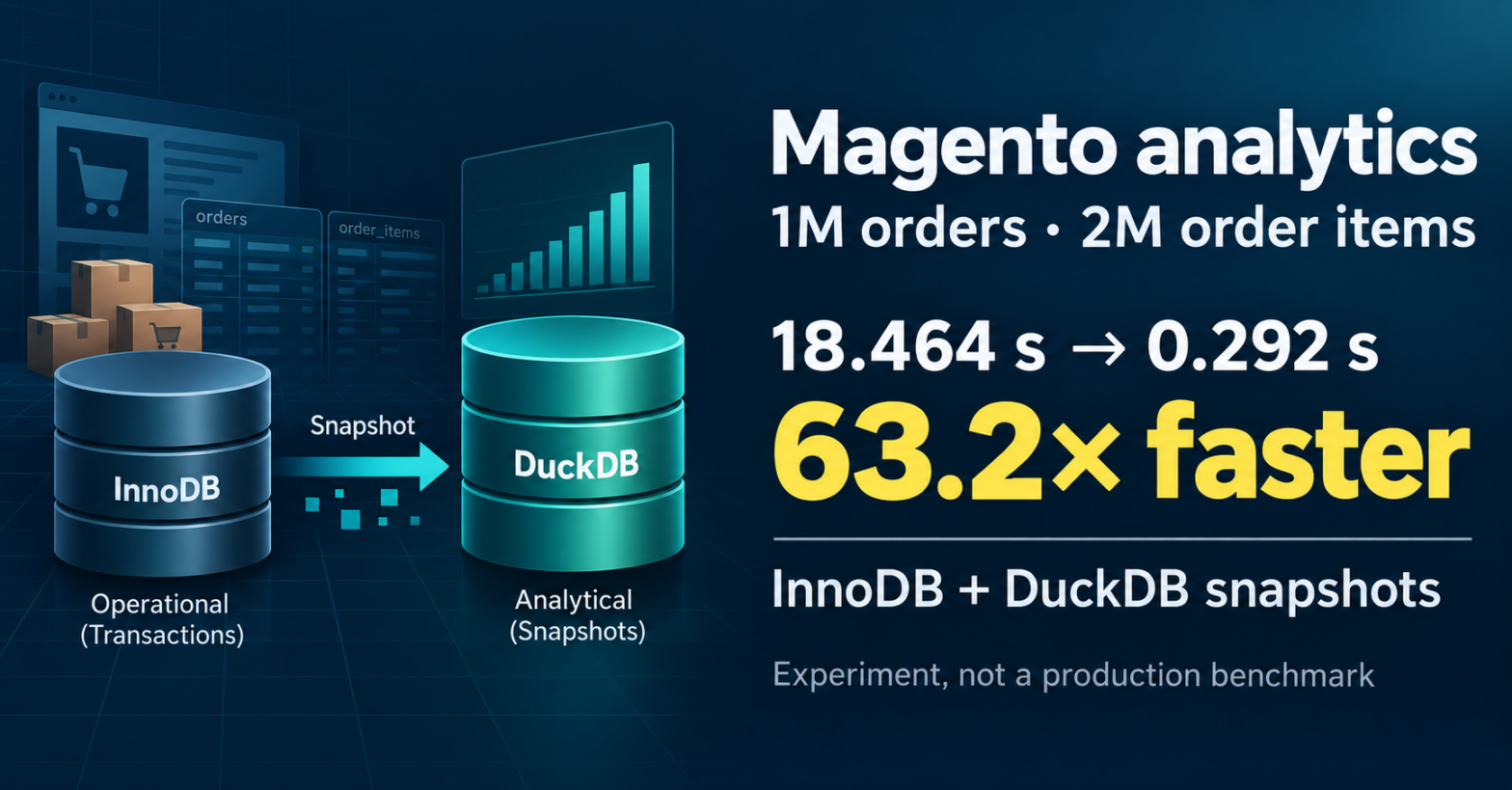
Magento normally uses InnoDB for orders, order items, invoices, and other transactional data. However, analytical reports have another workload. I wanted to check whether DuckDB can improve a real Magento report without replacing the operational database.
For this experiment, I generated one million Magento orders and two million order items. Then I executed two complete Magento Orders Report queries in three storage configurations.
Why I started this experiment
The Magento database has a mostly transactional workload. It creates orders, changes statuses, saves invoices, and processes refunds. InnoDB is a normal choice for these operations because it provides transactions, indexes, foreign keys, and recovery.
Reporting is different. A report can scan millions of rows, aggregate order items, join large tables, and calculate many financial values. This is not the same task as loading one order by its primary key.
I wanted to answer one practical question: must a heavy analytical report run on the same InnoDB tables that handle Magento transactions?
My idea was to keep Magento operational tables on InnoDB and create separate DuckDB snapshots for analytics.
Test environment
| Component | Value |
|---|---|
| Magento | Magento Open Source 2.4.8-p5 |
| Database server | MariaDB 11.4.13 |
| Analytical engine | DuckDB storage engine 1.5.5 |
| Orders | 1,000,000 |
| Order items | 2,000,000 |
| Items per order | 2 |
| Environment | Docker Compose development stack |
The base development environment came from Mark Shust’s Docker Configuration for Magento.
I used this stack because its database is a normal Docker Compose service. I could replace only the MariaDB image and keep the existing PHP-FPM, Nginx, and other services.
Adding DuckDB to MariaDB
The original database service used the standard MariaDB 11.4 image. I added a small compose.override.yaml file:
services:
  db:
    image: ghcr.io/mariadb/duckdb:11.4
After recreating the database container, I checked the available storage engines:
SELECT VERSION();
SHOW ENGINES;
MariaDB returned the DuckDB engine:
DUCKDB YES DuckDB storage engineDuckDB was available as a MariaDB storage engine. It was not a separate database service. I could query InnoDB and DuckDB tables through the same MariaDB connection.
Generating the dataset
I used the Magento performance fixture generator to create the test data. The final source tables contained:
- 1,000,000 rows in
magento.sales_order; - 2,000,000 rows in
magento.sales_order_item; - two simple order items for every order.
The generated data is synthetic. It does not have the same distribution as a real shop with different statuses, refunds, invoices, and order values. Still, it is useful for testing Magento table structures with a large number of rows.
I finished the data generation before creating the final analytical snapshots. The dataset did not continue to grow during the report tests.
Operational and analytical schemas
I did not change the storage engine of the original Magento tables. Magento continued to use:
magento.sales_order       → InnoDB
magento.sales_order_item  → InnoDB
These tables kept the normal Magento primary keys, unique constraints, secondary indexes, and foreign keys.
I created a separate schema for analytical data:
CREATE DATABASE analytics
    CHARACTER SET utf8mb4
    COLLATE utf8mb4_general_ci;
Then I created structural copies of the two source tables:
CREATE TABLE analytics.sales_order
LIKE magento.sales_order;

CREATE TABLE analytics.sales_order_item
LIKE magento.sales_order_item;
For both analytical copies, I removed:
AUTO_INCREMENTattributes;- primary keys;
- unique keys;
- secondary indexes;
- foreign-key constraints.
The copies preserved column names, column order, data types, nullability, and default values. After removing the keys and indexes, I converted both tables to DuckDB.
ALTER TABLE analytics.sales_order
    ENGINE=DUCKDB;

ALTER TABLE analytics.sales_order_item
    ENGINE=DUCKDB;
Magento did not write to these tables. They were read-only snapshots created for analytical queries.
Loading the snapshots
After the fixture generator finished, I copied the source data into the analytical schema.
INSERT INTO analytics.sales_order
SELECT *
FROM magento.sales_order;

INSERT INTO analytics.sales_order_item
SELECT *
FROM magento.sales_order_item;| Snapshot | Rows | Load time |
|---|---|---|
analytics.sales_order | 1,000,000 | 14.333 s |
analytics.sales_order_item | 2,000,000 | 20.159 s |
| Total | 3,000,000 | 34.492 s |
The snapshot cost is important. DuckDB did not receive updates automatically. A production system would need a full refresh, incremental synchronization, ETL, or change-data capture.
This experiment tested only an explicit full snapshot.
Data validation
Before comparing query time, I checked that InnoDB and DuckDB contained equivalent data.
| Validation metric | InnoDB source | DuckDB snapshot |
|---|---|---|
| Row count | 1,000,000 | 1,000,000 |
Distinct entity_id | 1,000,000 | 1,000,000 |
| ID range | 1–1,000,000 | 1–1,000,000 |
Sum of entity_id | 500,000,500,000 | 500,000,500,000 |
Sum of grand_total | 25,300,000.0000 | 25,300,000.0000 |
Row counts and control aggregates also matched for sales_order_item. The report query results were equal in all tested storage configurations.
This validation is necessary. A faster query has no value if it returns a different result.
The Magento report query
The main benchmark did not use only a simple COUNT(*). I used a complete Magento Orders Report aggregation.
First, the query aggregated order items by order_id:
WITH item_totals AS (
    SELECT
        order_id,
        SUM(
            qty_ordered - IFNULL(qty_canceled, 0)
        ) AS total_qty_ordered,
        SUM(qty_invoiced) AS total_qty_invoiced
    FROM sales_order_item
    WHERE parent_item_id IS NULL
       OR parent_item_id = 0
    GROUP BY order_id
)
The condition accepts both NULL and 0 because the Magento performance fixtures use 0 for root-level order items.
The item totals were joined with orders:
FROM sales_order AS o
INNER JOIN item_totals AS oi
    ON oi.order_id = o.entity_id
The report grouped data by date, store, and order status. It calculated:
- order count;
- ordered and invoiced quantities;
- income;
- revenue and profit;
- invoiced and paid amounts;
- canceled and refunded amounts;
- tax;
- shipping;
- discounts.
I executed two versions of the report. The first grouped the period by created_at. The second used updated_at.
The standard Magento filter that excludes new and pending_payment orders was removed because I wanted all generated orders to participate in the test.
Every benchmark point processed one million orders and two million order items. The measured value is the combined execution time of both report queries.
Full SQL used for the DuckDB point
The following is the complete SQL for the final point, where both tables are in the analytics schema and use DuckDB. For the other points, I changed the schema of sales_order and sales_order_item according to the tested storage configuration. The selected fields, expressions, filters, grouping, and ordering stayed the same.
WITH item_totals AS (
    SELECT
        order_id,
        SUM(qty_ordered - IFNULL(qty_canceled, 0)) AS total_qty_ordered,
        SUM(qty_invoiced) AS total_qty_invoiced
    FROM analytics.sales_order_item
    WHERE parent_item_id IS NULL OR parent_item_id = 0
    GROUP BY order_id
)
SELECT
    CAST(o.created_at AS DATE) AS period,
    o.store_id,
    o.status AS order_status,
    COUNT(o.entity_id) AS orders_count,
    SUM(oi.total_qty_ordered) AS total_qty_ordered,
    SUM(oi.total_qty_invoiced) AS total_qty_invoiced,
    SUM(
        (IFNULL(o.base_grand_total, 0) - IFNULL(o.base_total_canceled, 0))
        * IFNULL(o.base_to_global_rate, 0)
    ) AS total_income_amount,
    SUM(
        (
            IFNULL(o.base_total_invoiced, 0)
            - IFNULL(o.base_tax_invoiced, 0)
            - IFNULL(o.base_shipping_invoiced, 0)
            - (
                IFNULL(o.base_total_refunded, 0)
                - IFNULL(o.base_tax_refunded, 0)
                - IFNULL(o.base_shipping_refunded, 0)
            )
        ) * IFNULL(o.base_to_global_rate, 0)
    ) AS total_revenue_amount,
    SUM(
        (
            IFNULL(o.base_total_paid, 0)
            - IFNULL(o.base_total_refunded, 0)
            - IFNULL(o.base_tax_invoiced, 0)
            - IFNULL(o.base_shipping_invoiced, 0)
            - IFNULL(o.base_total_invoiced_cost, 0)
        ) * IFNULL(o.base_to_global_rate, 0)
    ) AS total_profit_amount,
    SUM(IFNULL(o.base_total_invoiced, 0) * IFNULL(o.base_to_global_rate, 0)) AS total_invoiced_amount,
    SUM(IFNULL(o.base_total_canceled, 0) * IFNULL(o.base_to_global_rate, 0)) AS total_canceled_amount,
    SUM(IFNULL(o.base_total_paid, 0) * IFNULL(o.base_to_global_rate, 0)) AS total_paid_amount,
    SUM(IFNULL(o.base_total_refunded, 0) * IFNULL(o.base_to_global_rate, 0)) AS total_refunded_amount,
    SUM(
        (IFNULL(o.base_tax_amount, 0) - IFNULL(o.base_tax_canceled, 0))
        * IFNULL(o.base_to_global_rate, 0)
    ) AS total_tax_amount,
    SUM(
        (IFNULL(o.base_tax_invoiced, 0) - IFNULL(o.base_tax_refunded, 0))
        * IFNULL(o.base_to_global_rate, 0)
    ) AS total_tax_amount_actual,
    SUM(
        (IFNULL(o.base_shipping_amount, 0) - IFNULL(o.base_shipping_canceled, 0))
        * IFNULL(o.base_to_global_rate, 0)
    ) AS total_shipping_amount,
    SUM(
        (IFNULL(o.base_shipping_invoiced, 0) - IFNULL(o.base_shipping_refunded, 0))
        * IFNULL(o.base_to_global_rate, 0)
    ) AS total_shipping_amount_actual,
    SUM(
        (ABS(IFNULL(o.base_discount_amount, 0)) - IFNULL(o.base_discount_canceled, 0))
        * IFNULL(o.base_to_global_rate, 0)
    ) AS total_discount_amount,
    SUM(
        (IFNULL(o.base_discount_invoiced, 0) - IFNULL(o.base_discount_refunded, 0))
        * IFNULL(o.base_to_global_rate, 0)
    ) AS total_discount_amount_actual
FROM analytics.sales_order AS o
INNER JOIN item_totals AS oi ON oi.order_id = o.entity_id
GROUP BY CAST(o.created_at AS DATE), o.store_id, o.status
ORDER BY period, o.store_id, o.status;

WITH item_totals AS (
    SELECT
        order_id,
        SUM(qty_ordered - IFNULL(qty_canceled, 0)) AS total_qty_ordered,
        SUM(qty_invoiced) AS total_qty_invoiced
    FROM analytics.sales_order_item
    WHERE parent_item_id IS NULL OR parent_item_id = 0
    GROUP BY order_id
)
SELECT
    CAST(o.updated_at AS DATE) AS period,
    o.store_id,
    o.status AS order_status,
    COUNT(o.entity_id) AS orders_count,
    SUM(oi.total_qty_ordered) AS total_qty_ordered,
    SUM(oi.total_qty_invoiced) AS total_qty_invoiced,
    SUM(
        (IFNULL(o.base_grand_total, 0) - IFNULL(o.base_total_canceled, 0))
        * IFNULL(o.base_to_global_rate, 0)
    ) AS total_income_amount,
    SUM(
        (
            IFNULL(o.base_total_invoiced, 0)
            - IFNULL(o.base_tax_invoiced, 0)
            - IFNULL(o.base_shipping_invoiced, 0)
            - (
                IFNULL(o.base_total_refunded, 0)
                - IFNULL(o.base_tax_refunded, 0)
                - IFNULL(o.base_shipping_refunded, 0)
            )
        ) * IFNULL(o.base_to_global_rate, 0)
    ) AS total_revenue_amount,
    SUM(
        (
            IFNULL(o.base_total_paid, 0)
            - IFNULL(o.base_total_refunded, 0)
            - IFNULL(o.base_tax_invoiced, 0)
            - IFNULL(o.base_shipping_invoiced, 0)
            - IFNULL(o.base_total_invoiced_cost, 0)
        ) * IFNULL(o.base_to_global_rate, 0)
    ) AS total_profit_amount,
    SUM(IFNULL(o.base_total_invoiced, 0) * IFNULL(o.base_to_global_rate, 0)) AS total_invoiced_amount,
    SUM(IFNULL(o.base_total_canceled, 0) * IFNULL(o.base_to_global_rate, 0)) AS total_canceled_amount,
    SUM(IFNULL(o.base_total_paid, 0) * IFNULL(o.base_to_global_rate, 0)) AS total_paid_amount,
    SUM(IFNULL(o.base_total_refunded, 0) * IFNULL(o.base_to_global_rate, 0)) AS total_refunded_amount,
    SUM(
        (IFNULL(o.base_tax_amount, 0) - IFNULL(o.base_tax_canceled, 0))
        * IFNULL(o.base_to_global_rate, 0)
    ) AS total_tax_amount,
    SUM(
        (IFNULL(o.base_tax_invoiced, 0) - IFNULL(o.base_tax_refunded, 0))
        * IFNULL(o.base_to_global_rate, 0)
    ) AS total_tax_amount_actual,
    SUM(
        (IFNULL(o.base_shipping_amount, 0) - IFNULL(o.base_shipping_canceled, 0))
        * IFNULL(o.base_to_global_rate, 0)
    ) AS total_shipping_amount,
    SUM(
        (IFNULL(o.base_shipping_invoiced, 0) - IFNULL(o.base_shipping_refunded, 0))
        * IFNULL(o.base_to_global_rate, 0)
    ) AS total_shipping_amount_actual,
    SUM(
        (ABS(IFNULL(o.base_discount_amount, 0)) - IFNULL(o.base_discount_canceled, 0))
        * IFNULL(o.base_to_global_rate, 0)
    ) AS total_discount_amount,
    SUM(
        (IFNULL(o.base_discount_invoiced, 0) - IFNULL(o.base_discount_refunded, 0))
        * IFNULL(o.base_to_global_rate, 0)
    ) AS total_discount_amount_actual
FROM analytics.sales_order AS o
INNER JOIN item_totals AS oi ON oi.order_id = o.entity_id
GROUP BY CAST(o.updated_at AS DATE), o.store_id, o.status
ORDER BY period, o.store_id, o.status;
Point 1: both tables on InnoDB
sales_order       → InnoDB
sales_order_item  → InnoDB
time              → 18.464 seconds
This was the baseline configuration. Both report tables used the original Magento InnoDB storage.
Point 2: orders on DuckDB, items on InnoDB
sales_order       → DuckDB
sales_order_item  → InnoDB
time              → 8.267 seconds
relative speed    → 2.23×
Moving only sales_order already reduced the execution time by more than half. However, the complete report still required more than eight seconds.
The report continued to scan and aggregate two million rows from the InnoDB sales_order_item table. Moving only one large table did not move the complete analytical workload.
Point 3: both tables on DuckDB
sales_order       → DuckDB
sales_order_item  → DuckDB
time              → 0.292 seconds
relative speed    → 63.2×
At the final point, the order scan, item aggregation, and join used DuckDB for both source tables.
The combined execution time of the two report queries decreased to 292 milliseconds.
Benchmark results
| Storage configuration | Time for both queries | Relative speed |
|---|---|---|
| InnoDB orders + InnoDB items | 18.464 s | 1.0× |
| DuckDB orders + InnoDB items | 8.267 s | 2.23× |
| DuckDB orders + DuckDB items | 0.292 s | 63.2× |
The important result was not only that DuckDB was faster. The middle point showed where the report continued to spend its time.
After moving orders to DuckDB, processing the order items was the remaining expensive part. Only after moving both sides of the analytical join did the report receive the maximum improvement.
This does not mean that sales_order_item is the bottleneck for every Magento report. It was the main remaining part for this report, this generated dataset, and this storage configuration.
Why COUNT(*) is not the main result
I also measured a warmed COUNT(*) over one million orders.
| Engine | Time |
|---|---|
| InnoDB | approximately 121 ms |
| DuckDB | approximately 0.81 ms |
This difference looks very large, but an unfiltered count may be answered using storage engine metadata. It does not contain item aggregation, joins, financial calculations, or grouping by several dimensions.
For this reason, I consider the complete Orders Report to be the main result. The count is only an additional observation.
Snapshot cost and report time
Creating both analytical snapshots took:
14.333 + 20.159 = 34.492 secondsThe final DuckDB configuration saved approximately:
18.464 - 0.292 = 18.172 secondsIn this test, the raw snapshot-loading time was close to the cost of two baseline report runs. This is only a simple calculation. A real snapshot process can also include extraction, consistency control, network transfer, scheduling, validation, and failed-job recovery.
A possible practical architecture
Magento operational database
            |
            | scheduled snapshot or ETL
            v
DuckDB analytical tables
            |
            +-- Magento reports
            +-- BI queries
            +-- ad hoc analytics
This model can be useful when a report does not require data from the current second. Possible use cases include daily sales reports, management dashboards, long-period revenue analysis, and other read-only analytical workloads.
The responsibilities remain separated:
- InnoDB handles Magento transactions.
- DuckDB handles analytical scans and aggregations.
- A snapshot or ETL process moves data between them.
Limitations
This was an experiment, not a formal production benchmark.
- The data was generated by Magento performance fixtures.
- Only one machine and one Docker environment were used.
- Only one report shape was tested.
- The cache state was not formally controlled.
- The measurements include client invocation overhead.
- Concurrent report users were not tested.
- DuckDB snapshots had no keys or indexes.
- InnoDB tables kept the normal Magento indexes.
- Synchronization was a manual full snapshot.
- Real-time updates were not tested.
- CPU and memory consumption were not recorded as part of a formal protocol.
The correct conclusion: the tested report was 63.2× faster in this environment, for this generated dataset and this query shape.
The incorrect conclusion: DuckDB makes every Magento report 63× faster.
What I want to test next
The next synchronization model I want to test is a synchronous dual write. In this model, the application writes an order and its items to the operational InnoDB tables and fills the corresponding DuckDB tables before the same database transaction is committed.
START TRANSACTION;

INSERT INTO magento.sales_order (...);
SET @order_id = LAST_INSERT_ID();

INSERT INTO magento.sales_order_item (...);

INSERT INTO analytics.sales_order (...)
SELECT ...
FROM magento.sales_order
WHERE entity_id = @order_id;

INSERT INTO analytics.sales_order_item (...)
SELECT ...
FROM magento.sales_order_item
WHERE order_id = @order_id;

COMMIT;
This is a simplified SQL sequence, not a ready Magento implementation. The real integration must use the transaction boundary of the Magento order-saving process and must copy all required rows only after their InnoDB identifiers are available.
This model can remove the delay of a periodic snapshot, but it also connects order processing with the analytical storage. A slow or failed DuckDB write can increase order creation time or make the complete transaction fail.
I do not assume that a transaction across InnoDB and the MariaDB DuckDB engine is automatically atomic in every failure case. This behavior must be verified with successful commits, explicit rollbacks, an error during the DuckDB insert, and a lost database connection. After every test, both schemas must contain either all order rows or no order rows.
- Test synchronous writes to InnoDB and DuckDB inside the same transaction.
- Verify cross-engine
COMMITandROLLBACKbehavior with injected failures. - Measure how synchronous DuckDB writes change Magento order creation time.
- Run every reporting configuration several times and calculate the median and p95.
- Separate cold-cache and warm-cache measurements.
- Record CPU and memory usage.
- Test several concurrent report users.
- Compare synchronous dual writes with an incremental snapshot refresh.
- Test a replicated environment with a separate DuckDB instance for the reports.
- Test reports with invoices, shipments, and customers.
- Use a more realistic distribution of dates, statuses, and amounts.
- Compare InnoDB and DuckDB table sizes.
- Test the behavior after a MariaDB restart.
- Compare the MariaDB storage engine with standalone DuckDB.
Conclusion
This experiment showed that the MariaDB DuckDB storage engine can be used as an analytical layer alongside the Magento operational database.
Magento continued to use InnoDB. I did not change the engine of the core tables, and I did not send Magento writes to DuckDB.
The analytical snapshots contained one million orders and two million order items. The complete Orders Report was tested in three storage configurations.
- InnoDB orders and items: 18.464 seconds.
- DuckDB orders and InnoDB items: 8.267 seconds.
- DuckDB orders and items: 0.292 seconds.
Moving only sales_order was not enough for the maximum result. The report still needed to scan and aggregate two million InnoDB order items. When both tables were moved to DuckDB, the combined execution time decreased by 63.2 times.
For me, the middle measurement is the most useful part of the experiment. It showed where the report spent its time and why moving only one table gave a limited improvement.
The approach looks interesting for snapshot-based Magento analytics. Before production use, it still needs controlled benchmarks, automatic synchronization, monitoring, and failure recovery.
