



MariaDB Foundation: Why Test Case Tags Matter in TAF
In performance testing, numbers alone rarely tell the full story.
A benchmark result without context is just a result floating in space disconnected from the intent, and the conditions that produced it.
For the MariaDB Foundation, where transparency and reproducibility are core principles, this isn’t good enough.
Before diving into the details of the TAF 4.0 test-case-tag properties, the Foundation appreciates your input in the MariaDB Foundation Annual Survey
Back to test-case-tags, TAF treats the test case tag as a first class semantic identifier, not a cosmetic label. A good tag transforms raw results into meaningful, comparable, and traceable performance data.
This short lesson explains what makes a good tag, why it matters, and how TAF uses tags to organize and compare results.
A Tag Is the Semantic Identity of a Test
A test case tag answers one question:
What is this test result supposed to represent?
The test-case-tag is the human meaning layer; the part that tells you why the test result exists.
Examples:
MDEV39497_BASELINE_50WHMDEV39497_BINLOG_MIN_WALS_50WHMDEV39497_READ_COMMITTED_50WHMDEV39497_PERFORMANCE_SCHEMA_FULL_50WH
Each tag encodes:
- the purpose (
MDEV39497) - the mode (
BASELINE,BINLOG_MIN,READ_COMMITTED) - the configuration detail (
WALS,SYNC, etc.) - the workload scale (
50WH)
This structure makes tags readable and meaningful.
Why Underscores (or Dashes) Matter
A tag must be:
- machine‑friendly
- directory‑friendly
- file‑friendly
- search‑friendly
- stable
That’s why best to use a simple separator:
PRIMARY_IDENTIFIER_SECONDARY_DETAIL_MORE_MORE
or
primary-identifier-secondary-detail-more-more
These separators ensure tags can be used safely for:
- directory names
- file names
- result renaming
- automated report generation
- backend storage keys
If a tag can’t be used as a filename, it’s not a good tag.
Examples In Action:
taf.test_case_tag=MDEV39497_….
Current results archive:

Move to taf-perl/scripts directory and execute RenameResultsTestCaseTag.sh with leading archive directories name hz-*

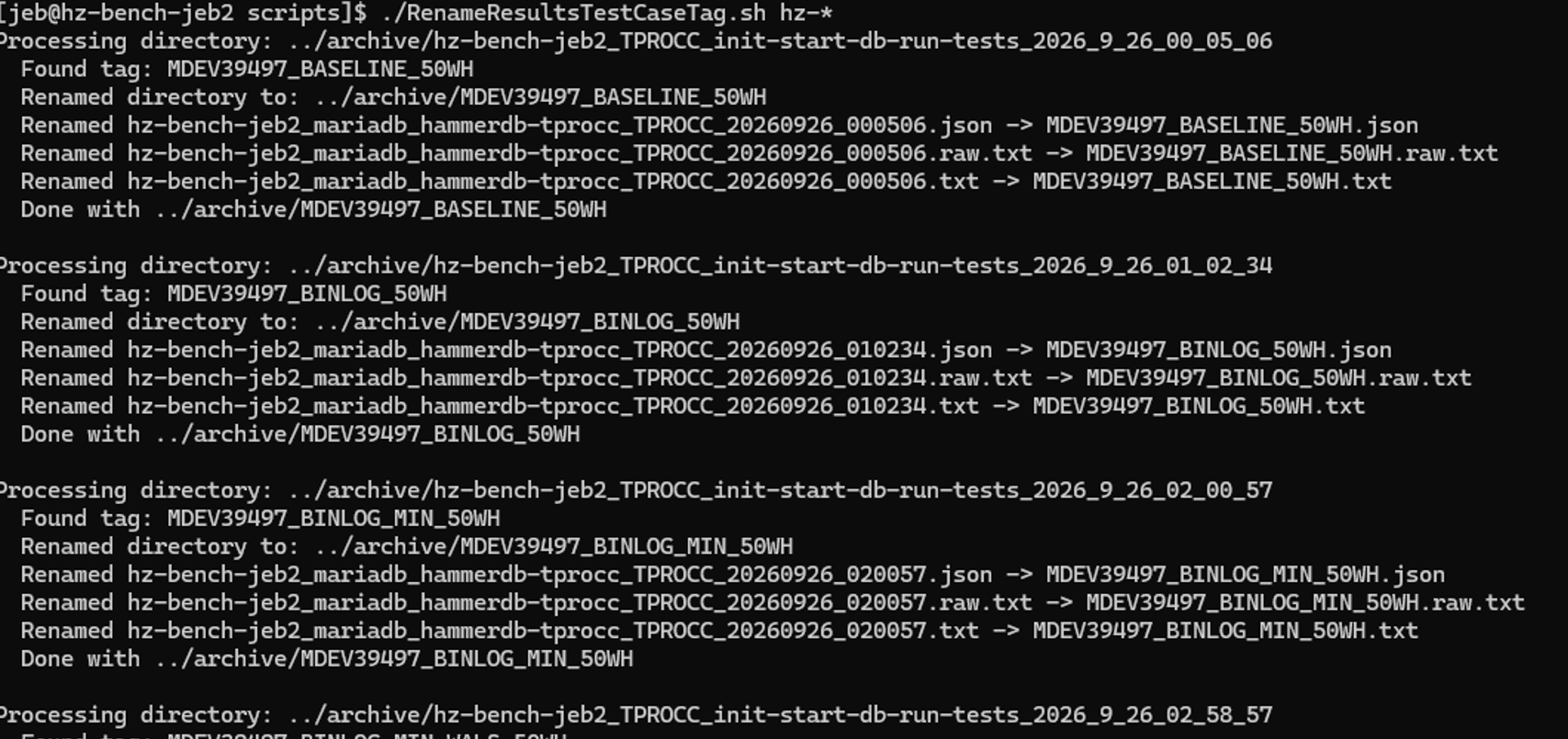
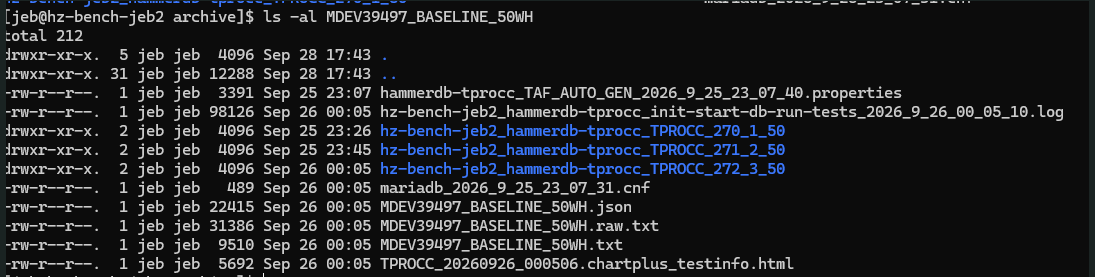
After script completes, the results directory, and any reports will have been renamed to test-case-tag.

TAF BACKEND
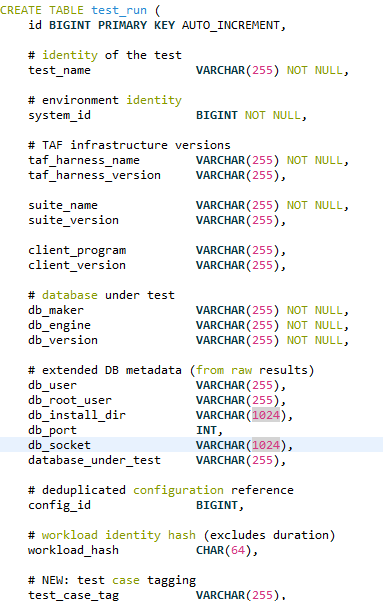
TAF comes with a results database that can be used for automating performance change detection. TAF Backend now excepts test-case-tag, and marks it with a key value for each searching and grouping.
Hardware Sponsor Acknowledgment — Hetzner.com
TAF 4.0 was engineered and validated on high‑performance hosts provided by Hetzner.
hz-bench
- Intel i5‑13500 (20 vCPUs / 14 cores)
- 62 GB RAM
- AlmaLinux 9.7
hz-bench2
- AMD EPYC 9454 (96 vCPUs / 48 cores)
- 125 GB RAM
- AlmaLinux 9.8
These systems enabled full multi‑database workload testing, reproducible performance runs, and the scale required to expose real behavior across MariaDB, MySQL, and PostgreSQL.
We appreciate Hetzner’s outstanding support.
Reminder:
TAF now supports MariaDB, MySQL and PostgreSQL.
In Closing
To all database vendors, please take TAF performance testing framework and use it.
The MariaDB Foundation released it openly because performance change detection should benefit the entire database ecosystem, not just one project.
Users deserve predictable performance, and TAF exists to make that possible for all.

Jonathan (Jeb) Miller has experience in military leadership, Fire/EMS leadership, computer operations leadership, teaching, and more than 27 years of database performance engineering (PervasiveSQL, MySQL, MariaDB).
TAF is the third benchmarking framework he has helped design and build.
#MariaDB #MySQL #PostgreSQL #Database #DatabasePerformance #Performance
