
MariaDB Server CLA assistant HOWTO

If you have ever contributed code to the MariaDB server (by submitting a GitHub pull request) you’d probably have noticed this little BuildBot check:

addressing this check is also by far the easiest way for me (your friendly preliminary reviewer) to verify that the pull request can be processed further.
NOTE: The CLA Assistant is the recommended way to record your licensing choice.
The assistant simplifies the contribution review process. There is normally no need to send a separate confirmation by email, through a mailing list, or on Zulip. Once the CLA Assistant check passes, you do not need to repeat your licensing choice in the commit message or pull request. And it makes my life easier (and yours too).
This is also mentioned in https://github.com/MariaDB/server/blob/main/COMMUNITY_CONTRIBUTIONS.md#open:
The licensing of the pull request should be clear. As a legal requirement, you must accept the CLA (contributor license agreement, also called MCA, MariaDB Contributor Agreement) or, alternatively, license your contribution under the 3-clause BSD license. See the MariaDB Contributor Agreement FAQ for the difference between these two options and when to use what.
“Clearing” the CLA assistant
is fairly easy too. When you submit a pull request you’d see a comment like this on it:

Clicking on the yellow button above would bring you to the CLA assistant page.
On it you might see a little button like this:

This I find reasonable: after all, to submit a contribution pull request, you will need to have a GitHub account. After logging in, this would change to:
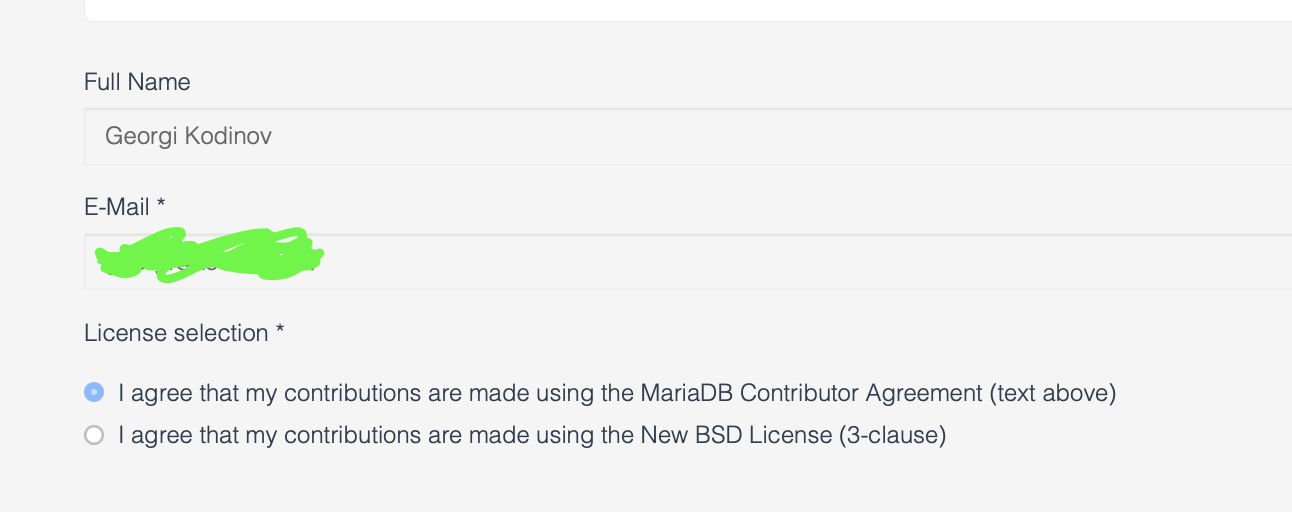
Pick your preference and submit it. Now the CLA assistant should have a green check mark.
And that’s it!
With just a few clicks you’ve completed the licensing and you’ve gone a long way to making the review process easier and faster!
Whether you’re just fixing a typo, reporting and fixing a bug, performance improvement or implementing a new feature, every contribution counts.
Thanks very much for your contribution to MariaDB Server and for helping us to build a better open source database together!
Leave a Reply