



MariaDB Foundation: Auto‑Generated User Properties in TAF 4.0 — The Piece for Ensuring Full Test Reproduction
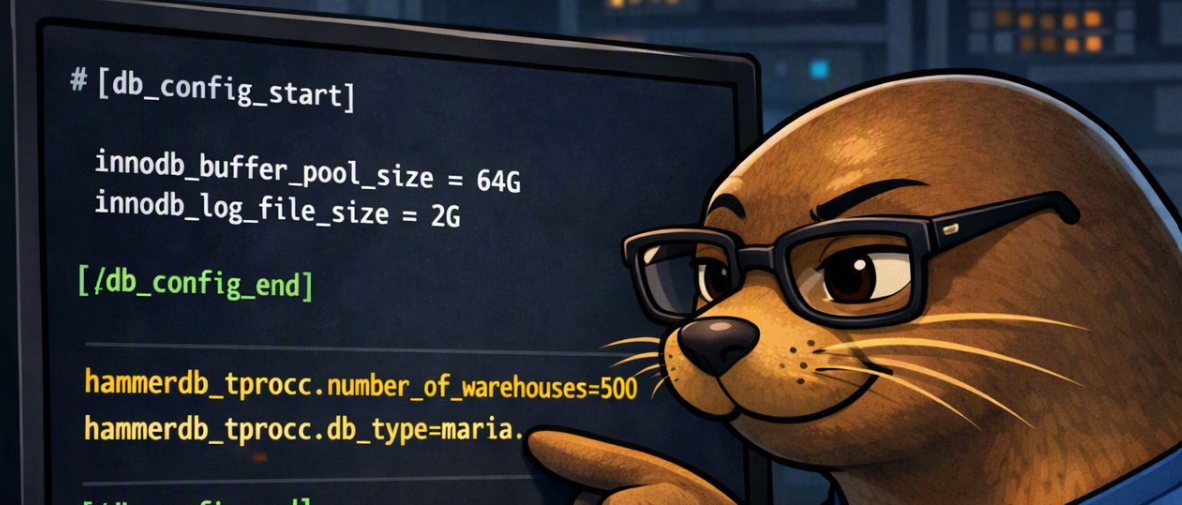
TAF’s reproducibility story just gained its most important upgrade: every test case now produces a fully resolved, auto‑generated user properties file.
This file captures exactly what the run used — not what the user intended, not what was passed in, but the final, authoritative configuration TAF executed. It removes ambiguity, eliminates hidden dependencies, and makes every test case a fully self‑describing artifact.
This feature builds directly on the work introduced in the previous blog, where TAF gained support for embedding database configuration inside user properties.
If you missed that post, you can read it here:
TAF 4.0 Database Configuration Handling
With embedded configuration in place, TAF can now take the next step:
auto‑generating a complete user properties file for every run.
Before diving into the details, the Foundation would truly appreciate your input into the MariaDB Foundation: Annual Survey
Why This Matters
Reproducing a test case used to require:
- the original user properties file
- the correct DB config file
- the correct CLI arguments
- the correct environment
- the correct runtime decisions
If any of those were missing, reproduction became guesswork.
Now, TAF writes a single file containing all of it — the exact configuration used, resolved in the exact order TAF applied it.
If you have the generated file, you have the run.
How the Auto‑Generated User Properties File Is Built
TAF constructs the final file in three precise stages. Each stage contributes a different source of truth, and the final artifact reflects the actual configuration used during execution.
1. Select the Winning Database Configuration
TAF first determines which database configuration wins. There are three possible sources:
- CLI‑provided DB config (
--db-config-file=...) - Inline
[db_config]block embedded inside the user properties file - External DB config file referenced inside the properties file
TAF resolves these in priority order. Whichever source wins becomes DB_CONFIG_USED, and that block is written directly into the generated file.
This guarantees the generated file always contains the exact DB configuration used — no external files required.
2. Insert the Original User Properties (Fully Resolved)
Next, TAF takes the original user properties file that initiated the run and writes it into the generated file — but not as originally written.
TAF writes the fully resolved version, including:
- expanded includes
- applied defaults
- resolved environment values
- merged workload parameters
- runtime decisions made during setup
This becomes the backbone of the generated file.
3. Append Meaningful CLI Overrides (Converted to Properties)
Finally, TAF identifies meaningful CLI overrides — the ones that actually changed the resolved configuration.
These are converted into property entries and appended at the bottom of the generated file.
Why the bottom?
Because property resolution is top‑to‑bottom, and CLI overrides must win over any values from the original file. Placing them last guarantees they override everything above.
Only overrides that matter are included — not every CLI flag, only the ones that changed the final configuration.
The Result
The final generated user properties file contains:
- DB_CONFIG_USED — the winning database configuration
- Fully resolved user properties — expanded, merged, finalized
- Meaningful CLI overrides — converted to properties and placed last
This file is stored inside the results archive and can be used to reproduce the test exactly:
taf --prop=generated_user_properties.properties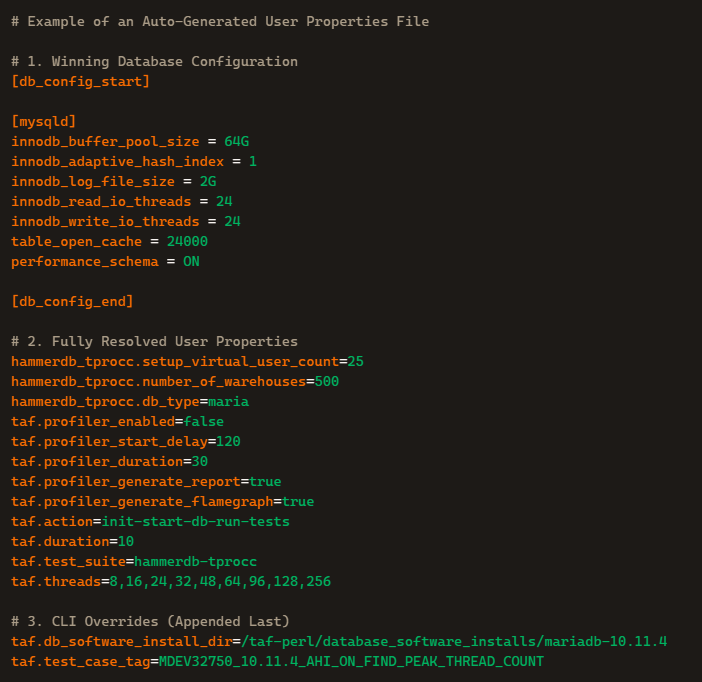
No external files. No missing configs. No guessing. No drift.
This is the final piece that makes TAF test cases portable, deterministic, and future‑proof across machines, environments, and versions.
Next Blog Preview: How PostgreSQL Lives Inside TAF
The next blog will cover how PostgreSQL integrates into TAF as a first‑class database, walking through the four major components that make PG fully supported end‑to‑end.
TAF’s PostgreSQL integration is built around:
- the install phase, including cluster creation and lifecycle management
- the PostgreSQL database plugin, which implements the full TAF DB‑maker contract
- mid‑tier SQL support, providing consistent orchestration through PG’s command‑line tools
- test‑suite integration, enabling workloads like HammerDB TPCC to run reproducibly on PostgreSQL
Together, these components show how PostgreSQL fits cleanly into the same reproducible pipeline described in this post — from installation, to configuration, to workload execution, all under TAF’s unified framework.
The upcoming blog will walk through each of these parts, how they work, and how they make PostgreSQL a fully integrated citizen inside TAF.
Hardware Sponsor Acknowledgment — Hetzner.com
TAF 4.0 was engineered and validated on high‑performance hosts provided by Hetzner.
hz-bench
- Intel i5‑13500 (20 vCPUs / 14 cores)
- 62 GB RAM
- AlmaLinux 9.7
hz-bench2
- AMD EPYC 9454 (96 vCPUs / 48 cores)
- 125 GB RAM
- AlmaLinux 9.8
These systems enabled full multi‑database workload testing, reproducible performance runs, and the scale required to expose real behavior across MariaDB, MySQL, and PostgreSQL.
We appreciate Hetzner’s outstanding support.
Reminder:
TAF now supports MariaDB, MySQL and PostgreSQL.
In Closing
To all database vendors, please take TAF performance testing framework and use it.
The MariaDB Foundation released it openly because performance change detection should benefit the entire database ecosystem, not just one project.
Users deserve predictable performance, and TAF exists to make that possible for all.

Jonathan (Jeb) Miller has experience in military leadership, Fire/EMS leadership, computer operations leadership, teaching, and more than 27 years of database performance engineering (PervasiveSQL, MySQL, MariaDB).
TAF is the third benchmarking framework he has helped design and build.
#MariaDB #MySQL #PostgreSQL #Database #DatabasePerformance #Performance #Hetzner
