

The MariaDB Plugin API has Doxygen Documentation Now!

Developing plugins is one of the ways we really encourage to extend MariaDB Server’s capabilities. However, understanding the available APIs has often required developers to explore header files, source code, and existing plugin implementations.
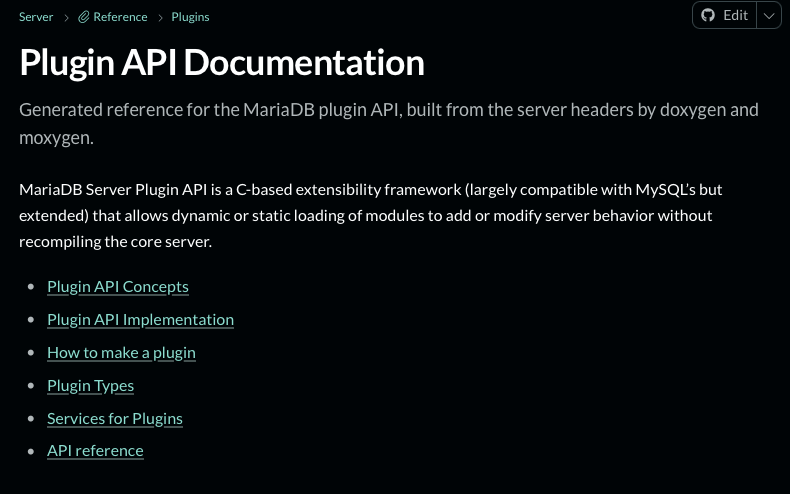
To make this easier, we now have a new, Doxygen-generated MariaDB Server Plugin API reference, available directly in the MariaDB documentation.
If you’ve been following recent commits to the MariaDB Server repository, you may already have noticed some of the work behind this initiative. I’d like to present it to you and ask for your feedback and contributions to it.
The MariaDB plugin API has an official Doxygen-generated API page now: https://mariadb.com/docs/server/reference/plugins/api-plugin.
This is just the beginning. While the initial documentation provides a useful foundation, there’s still work to do: improving descriptions, adding examples, documenting less familiar APIs, and making sure the documentation reflects how the interfaces are used in practice.
Whether you’ve developed a MariaDB plugin, maintained an existing one, or simply struggled to understand a particular API, your experience and contributions are welcome.
I’d also be interested in what value you see in documenting server (and client(s)) internals. And what is high on your priority list there.
Some Words On The Implementation: What Does It Cover, How To Use It, And How To Contribute
It’s all obviously done on the main branch. I’ve tried scraping whatever comments were already there, adding some structure to the whole thing and then tried to give practical overviews and guides to follow through. But, most importantly it’s all in a single place now. And it’s dynamic and can be maintained together with the source updates.
I’ve built the whole thing on Doxygen groups and sub-groups. There are a couple of pages for the top-level stuff, but the bulk is in the groups themselves.
I’ve used Doxygen to scrape and produce the XML output from the source files in include/mysql/ and then piped that into Moxygen to produce Markdown output that can then be integrated into gitbook by a set of specially crafted GitHub actions.
If you, as a developer, want to edit documentation or simply check if it works after your changes, you will need few things:
- Get the software needed: doxygen (latest available will do) and moxygen (at least 2.1.19) and install them in the path.
- Enable the cmake target for doxygen docs:
-DWITH_GENERATED_DOCS=yes, off by default. That will add aplugin_api_docscmake target (that the default target depends on). As a result, when you hit make, you will get your documentation built as well indocs/plugin/apiunder your designated build directory. - Get a decent Markdown viewer and enjoy. I’ve mostly used Visual Studio Code builtin Markdown support and MacMDViewer + MarkDownPreview on my Mac.
Alternatively, if you don’t want to deal with cmake and just want the docs, you could run the script directly.
And, If you really don’t want to deal with having the above tools installed and configured on your computer, you could use the same Docker container the buildbot action that generates the docs uses: ghcr.io/mariadb/mariadb-doc-gen.
Finally, if you need to do that as part of your contribution, just pushing the code to a pull request will trigger the github action and produce documentation for you if the pull request touches files in include/mysql/, e.g. https://github.com/MariaDB/server/actions/runs/40872276585
FYI, here’s how the documentation changes get from the server tree to the mariadb-docs tree: Every night a github action on the docs tree regenerates the API docs and then files a pull request for the docs team if they differ from the ones in https://github.com/mariadb-corporation/mariadb-docs/tree/main/server/reference/plugins/api-plugin.
Leave a Reply