Meet Otaria: the MariaDB client that stops treating MariaDB like MySQL

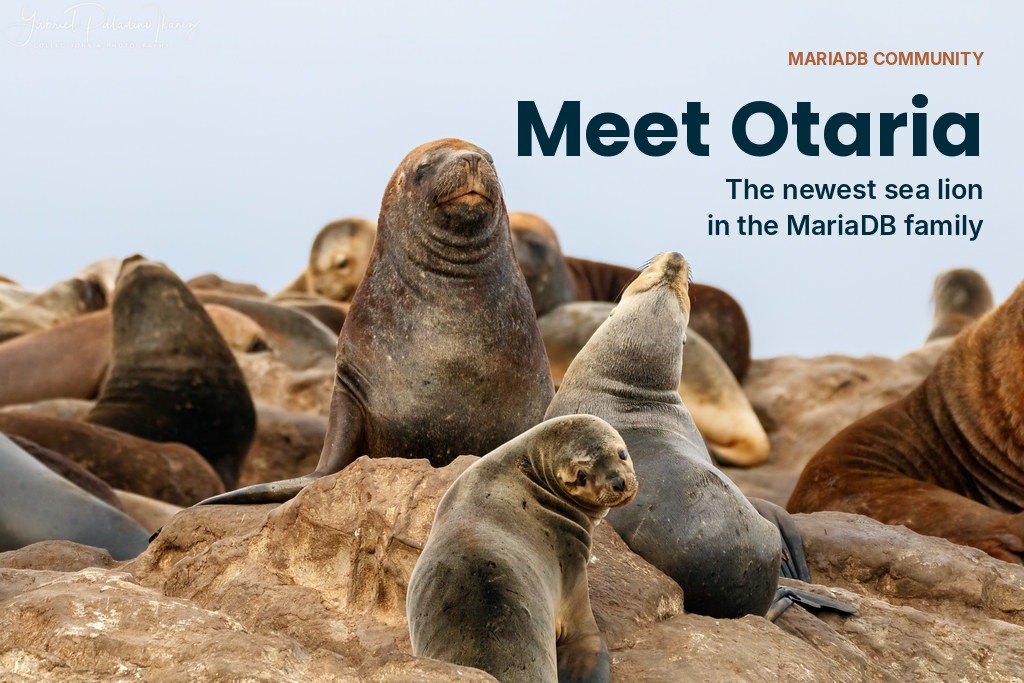
Most database clients treat MariaDB as if it were MySQL. Otaria does the opposite: it puts the features that make MariaDB different right in the interface, where you can click on them.
Otaria is a free, open source desktop client for MariaDB, built by community contributor Mohamed Touhami Rhaima. It runs on macOS, Windows and Linux in five languages (English, French, Spanish, Italian and German), and is currently at version 0.1.4. In an upcoming OUTER JOIN episode, Mohamed walks us through a live demo. This post covers what he showed.
Why a sea lion?
Mohamed uses MariaDB every day and wanted a fast tool that shows MariaDB’s own features instead of hiding them: system-versioned tables, the binary log and flashback, sequences, vectors, roles and Galera. The name comes from Otaria, a genus of sea lion, a nod to the MariaDB logo.
From Laravel vectors to a desktop client
Mohamed is one of the community contributors behind native MariaDB Vector support in Laravel 13. Since Laravel 13.28, you can store embeddings in a vector column, add a vector index and search by meaning with the query builder, with no extra package. A typical use is RAG: find the passages of your docs closest to a question, then let an AI agent answer from them. He also wrote a tutorial with a video version.
While testing with real data, he found a performance gap. Laravel sends the query vector as text, and MariaDB converted that text again for every row instead of once. On 20,000 rows with no vector index, a query took about 950 milliseconds instead of about 24.
He reported it on the MariaDB Jira as MDEV-42201. A MariaDB developer confirmed it the next morning, and Sergei raised its priority. Until it is fixed, the workaround is to send the vector as binary, which his package laravel-vector-metrics does.
That experience, digging into what MariaDB can do and finding that most tools never show it, is where Otaria comes from.
The demo
Mohamed used a small shop database: products, customers, orders and order items. Here is what he showed.
Time travel: see a table as it was
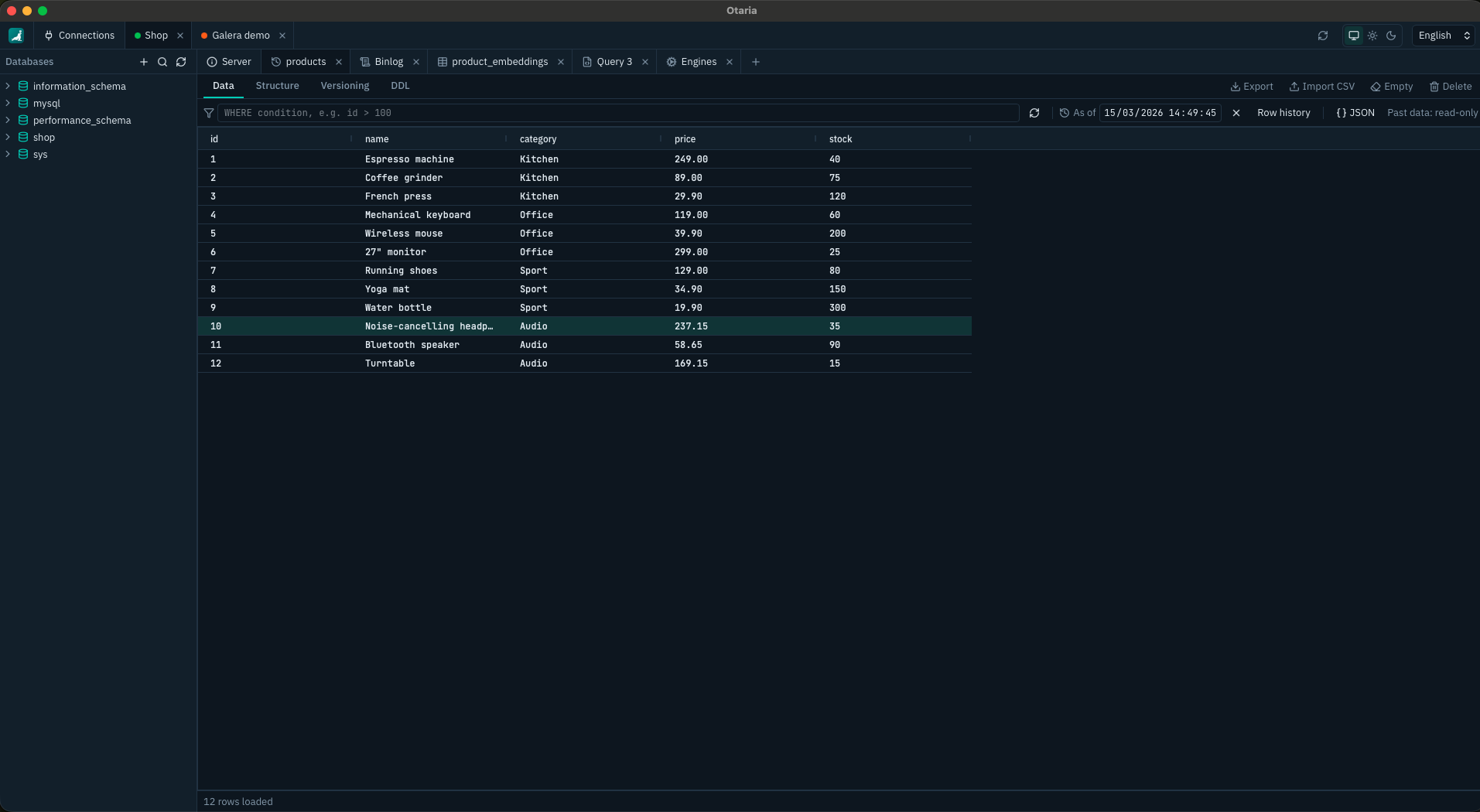
The products table is system-versioned, so MariaDB keeps every old version of every row automatically. In Otaria you pick a date in the As of field and the grid shows the table exactly as it was at that moment. Past data is read-only, because you cannot edit the past.
On 15 March 2026, the noise-cancelling headphones cost 237.15 instead of their usual price.
Row history: one row, every version
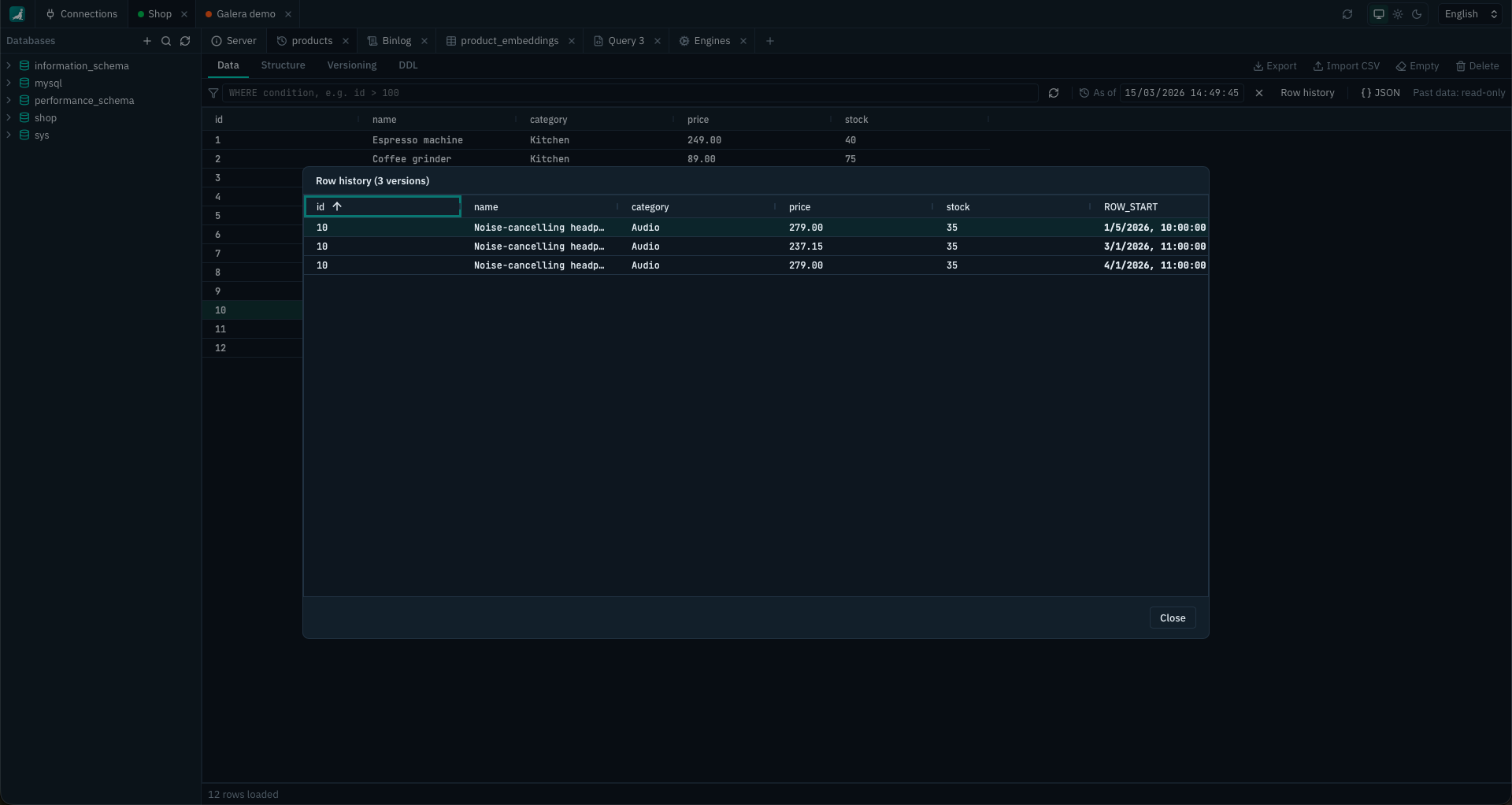
Select a row and open Row history to see all its versions with the time each one started. The headphones went from 279.00 to 237.15 on 1 March, then back to 279.00 on 1 April. A March discount, visible in one click.
Undo a mistake from the binary log
What about a bad DELETE? Otaria reads the binary log and can group events by transaction. In the demo, the order items for order 42 had been deleted. Mohamed found the transaction DELETE FROM order_items WHERE order_id = 42, selected it and clicked Undo selection. Otaria never runs anything by itself: it generates the undo script with mariadb-binlog --flashback and opens it in the SQL editor, where you read it and then run it. Once Mohamed ran it, the order items were back.
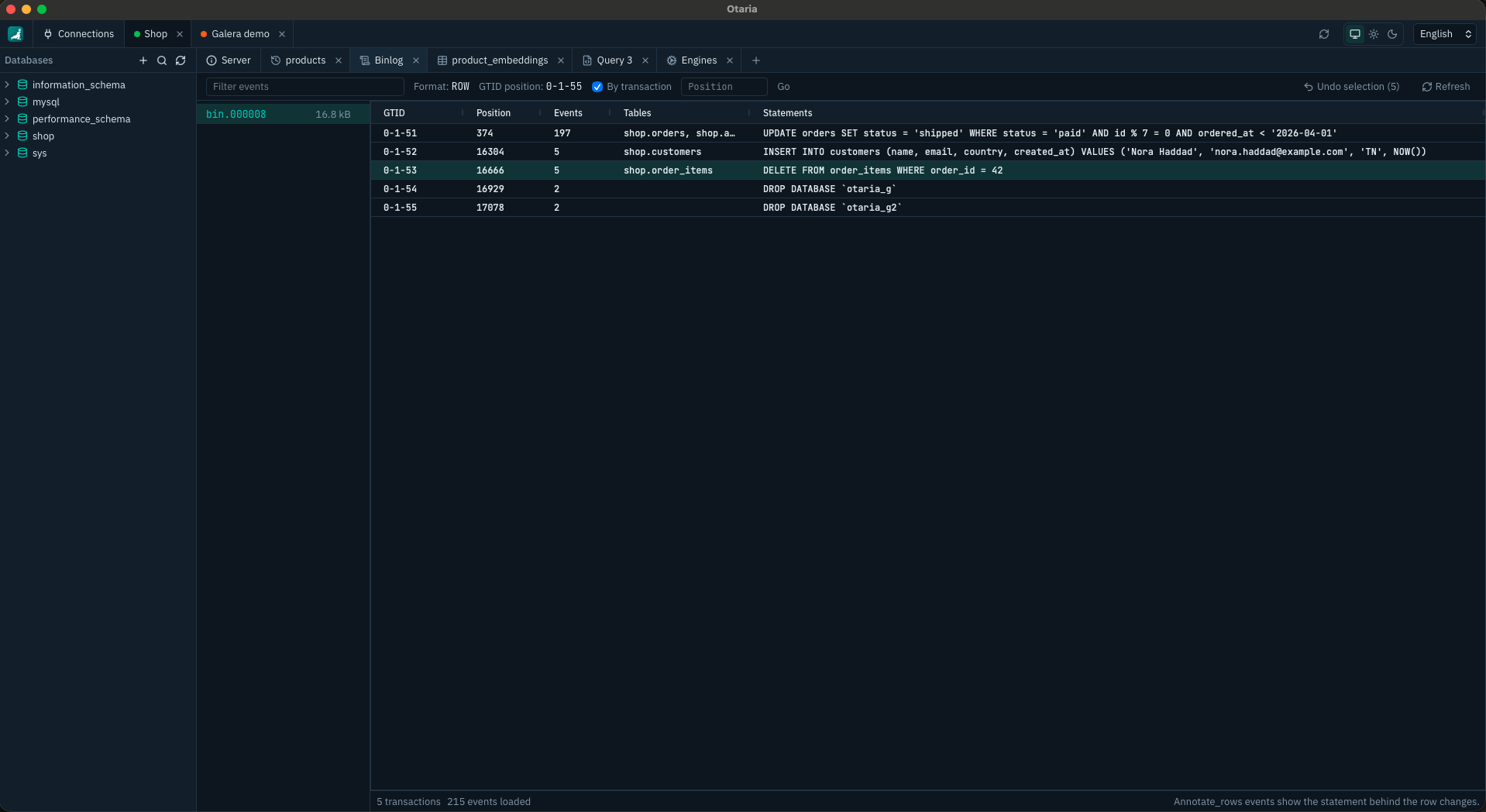
This is binlog flashback, driven from the UI.
Vector search, directly in SQL
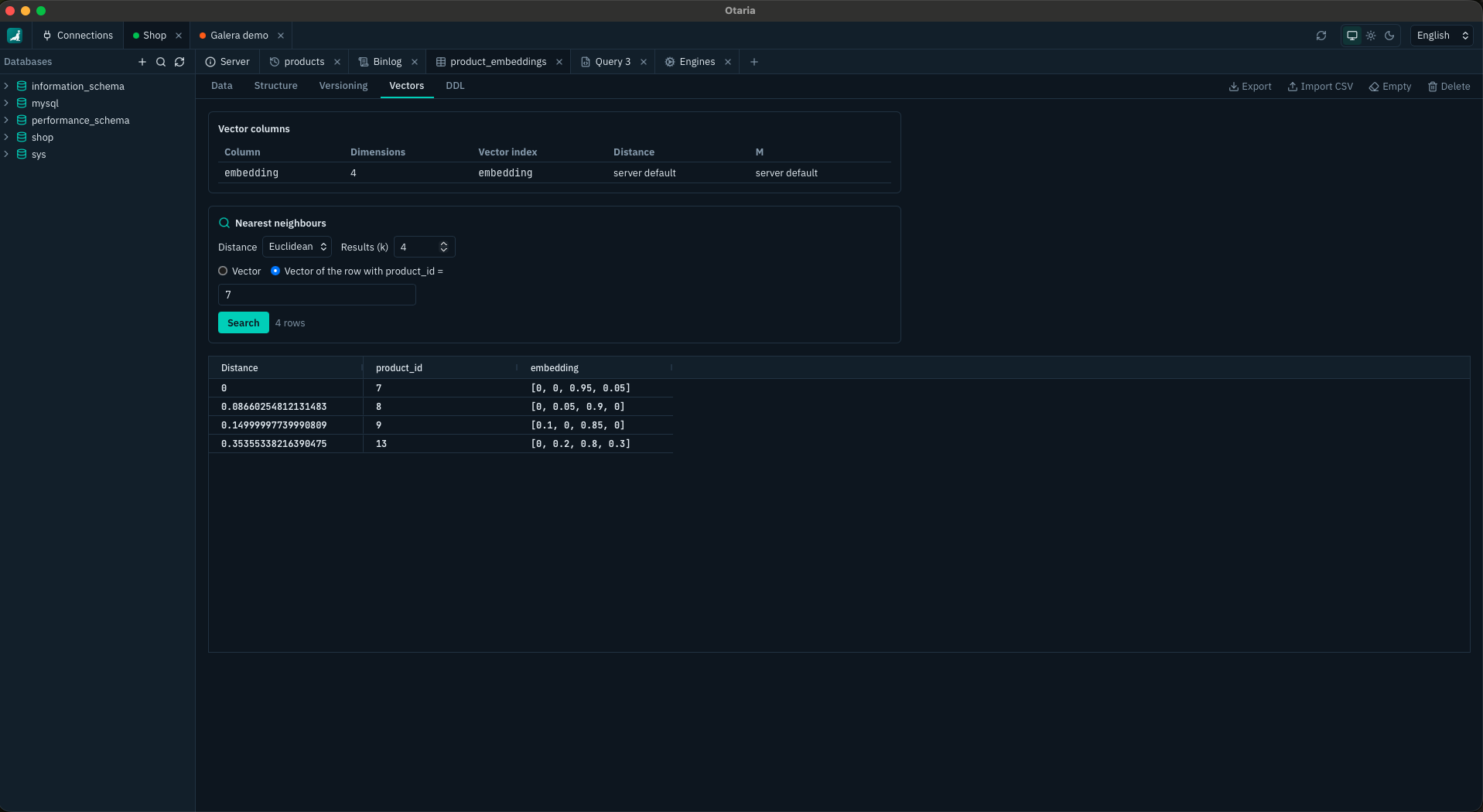
MariaDB has a native VECTOR type and vector index. The Vectors tab shows a table’s vector columns and their index, and lets you run a nearest-neighbour search. In a real app the embeddings come from an AI model; the demo used small 4-dimension vectors.
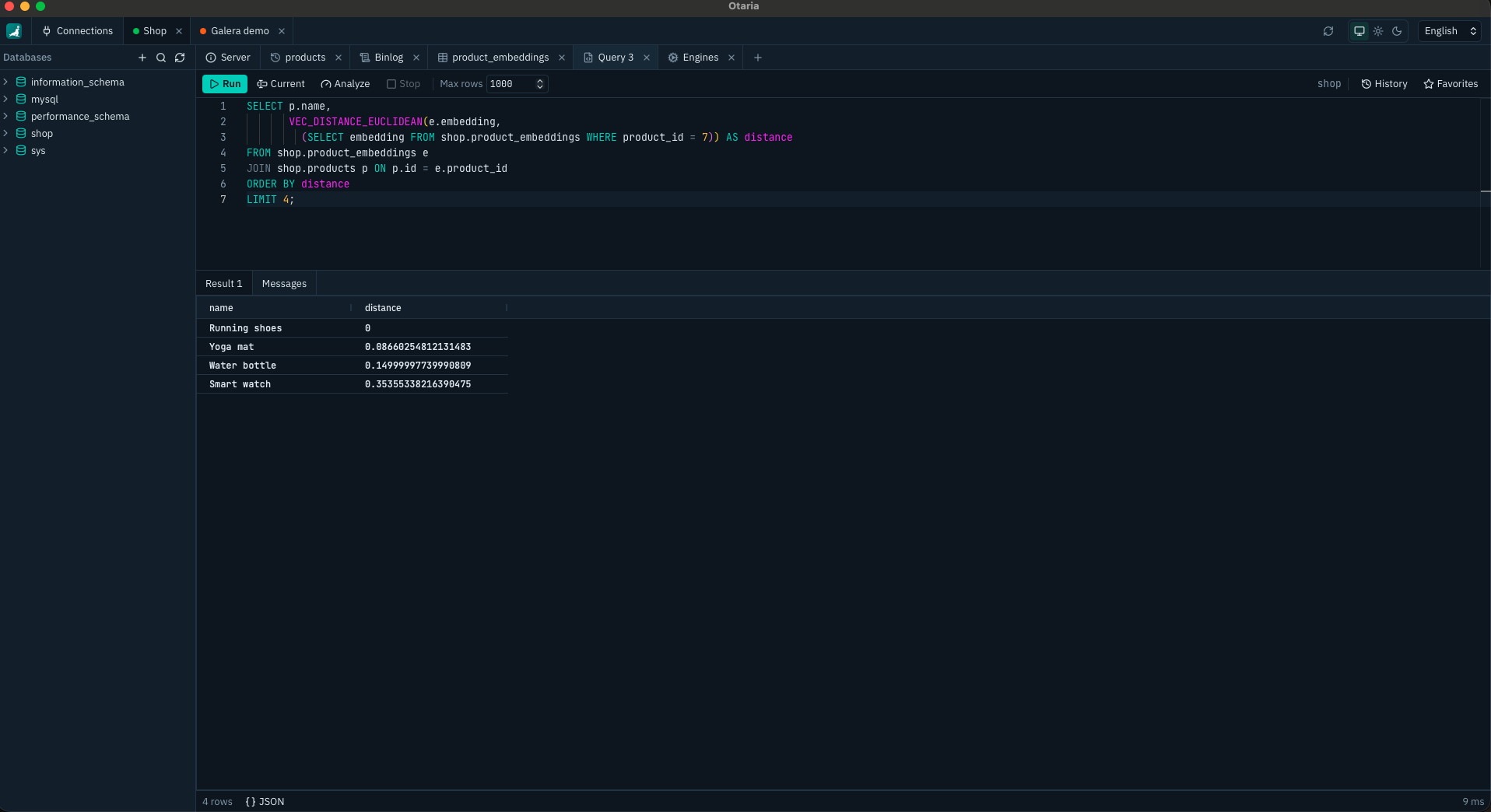
Mohamed asked for the products closest to the running shoes (product 7). The answer: yoga mat, water bottle and smartwatch. All sport products, found by meaning, not by category.
The same search works as plain SQL in the query editor with VEC_DISTANCE_EUCLIDEAN.
Watching a Galera cluster
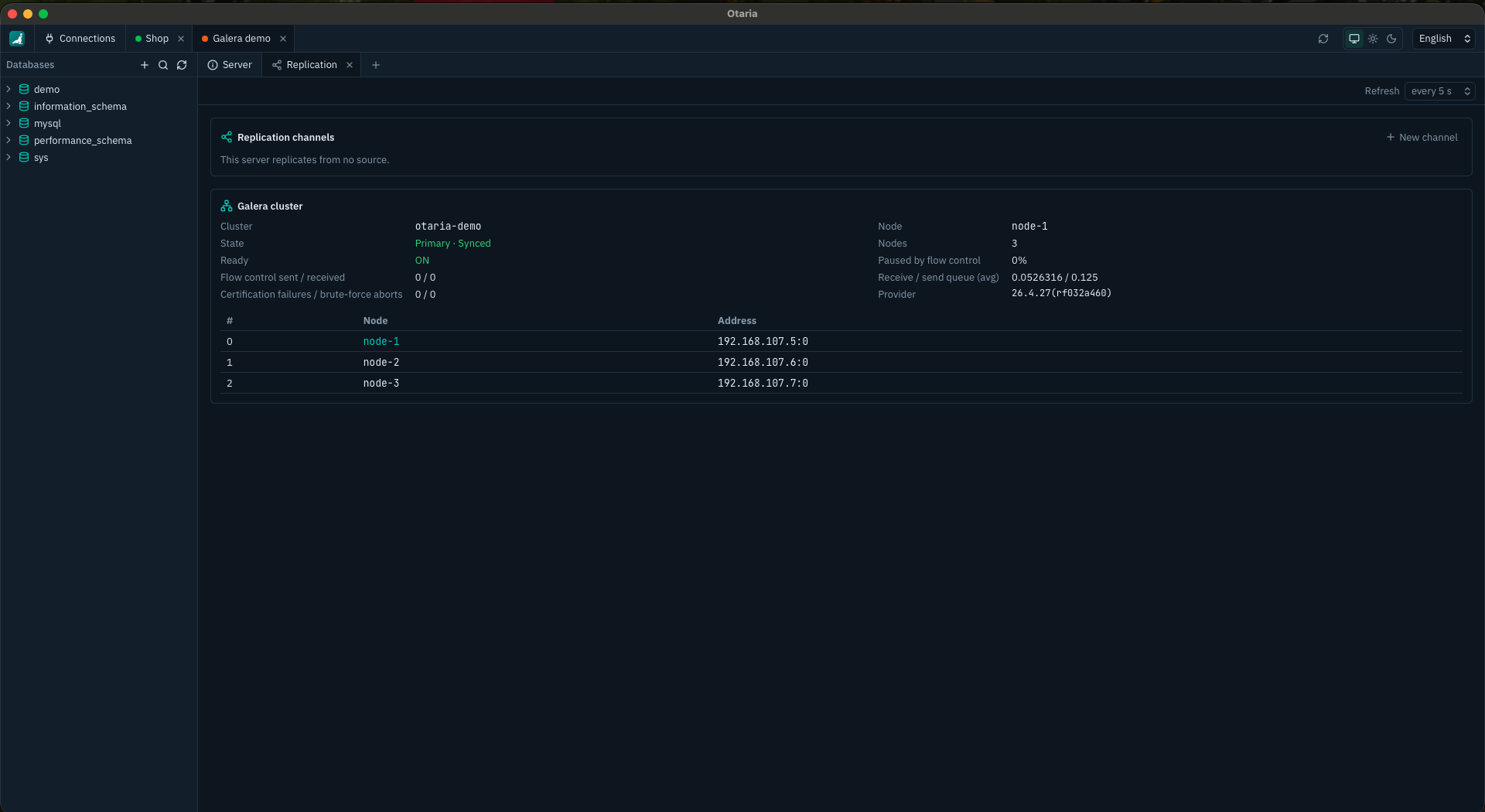
For a three-node Galera cluster, Otaria shows the cluster state, each node, and flow control, refreshing every 5 seconds. Then Mohamed broke something. He stopped node 3, and within about 5 seconds it disappeared from the node list. When he started it again, it rejoined the cluster and reappeared, with no manual refresh.
The everyday side
Security comes first. Passwords are never written to a file: Otaria stores them in the system keychain (macOS Keychain, Windows Credential Manager, or Secret Service on Linux). Connections can use TLS and SSH tunnels, with keys and certificates.
Beyond the MariaDB-specific features, Otaria covers the daily work:
- Create databases, refresh, and search by table, column or routine body
- Import and export SQL and CSV files
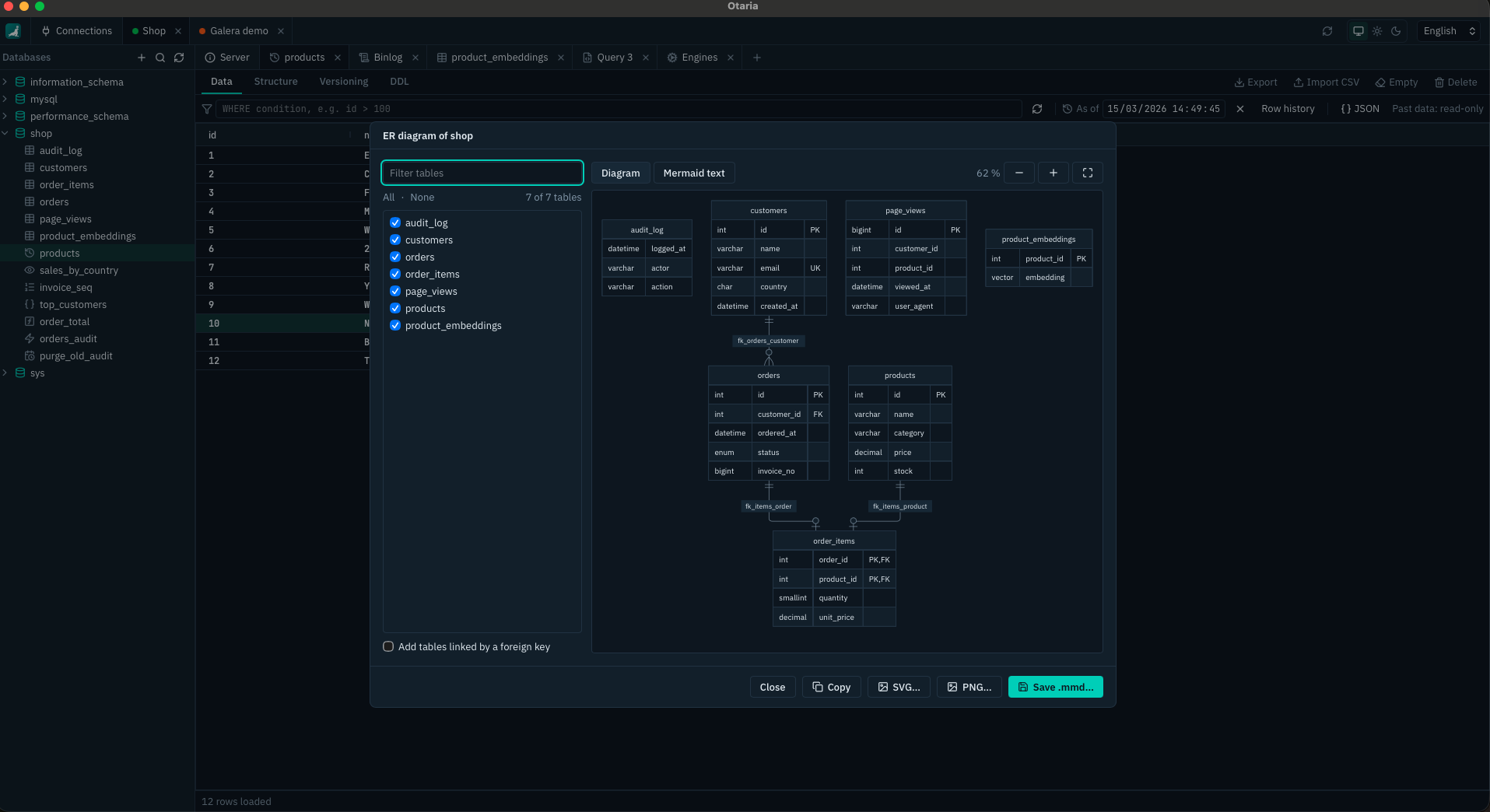
- Generate an ER diagram of a database and save it as SVG, PNG or a Mermaid
.mmdfile, or copy the Mermaid text - Compare two databases, even on different connections, and get a migration script
What’s next
Mohamed’s next step is support for the DuckDB storage engine, so you can work with DuckDB tables in Otaria next to your InnoDB tables. He also has something new for MariaDB and Laravel in the works, and has submitted a talk proposal for FOSDEM. On 30 January 2027 he will give two talks at MariaDB Day Brussels: one on Otaria and one on MariaDB Vector.
Try it and contribute
Otaria is free and open source under the MIT license. It is still early, and Mohamed wants to hear what is missing.
- Download version 0.1.4 for macOS, Windows or Linux: Otaria releases
- Read the code, report what is missing, and contribute: Otaria on GitHub
- New to Otaria? Read the user guide
This is how open source stays alive: someone builds the tool they need, and the community makes it better. Thank you, Mohamed, for building Otaria, and for reporting what you found along the way.
Leave a Reply